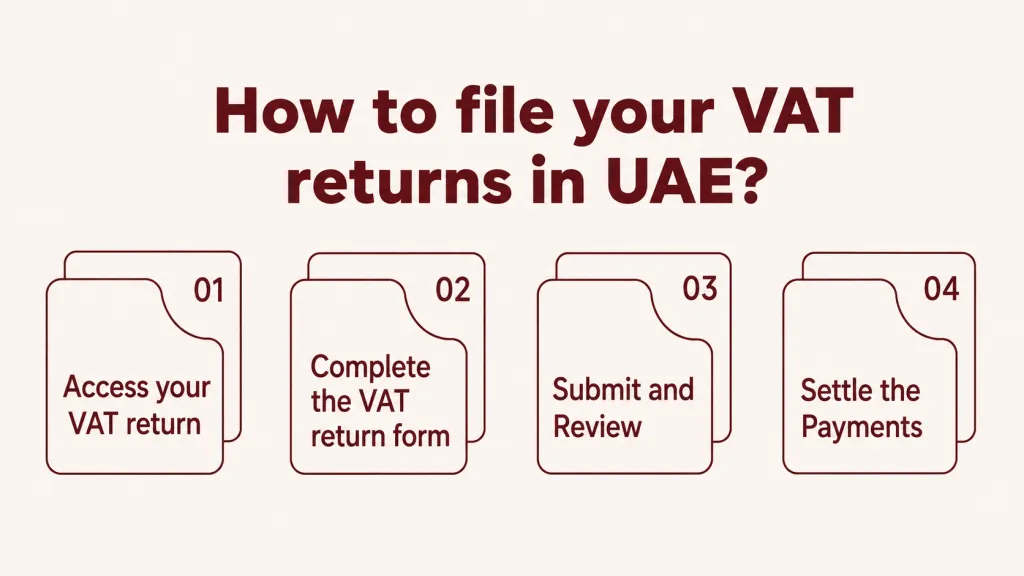
Now that the terminologies are clear, filing for a VAT return is simple using the EmaraTax portal. These are practical steps being pushed by the government – from logging in to confirming payment, they hope that this would make the process less painful for businesses to report.
Note:
When completing the form, you must make sure to round up the numbers to two decimal places, convert the amounts to AED, and use “0” where necessary (i.e. no amounts are to be declared).
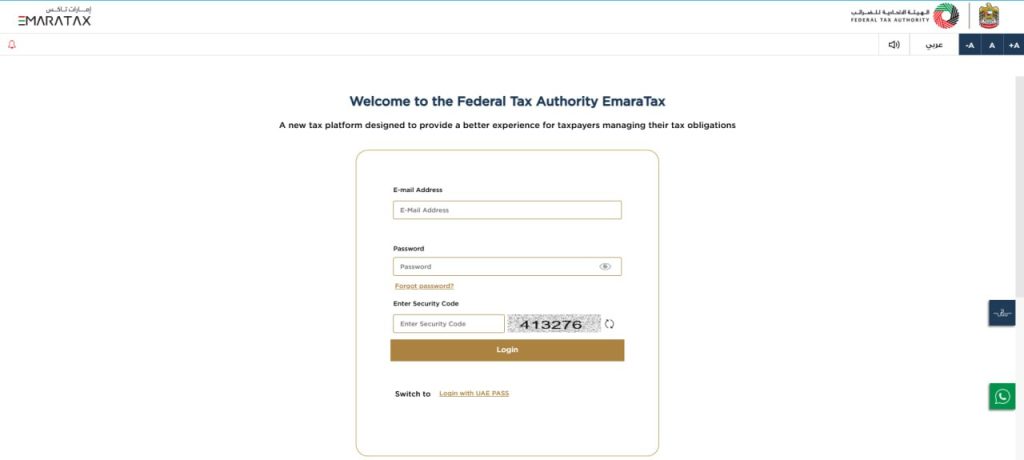
Step 1: Log into EmaraTax account using UAE Pass or email credentials.
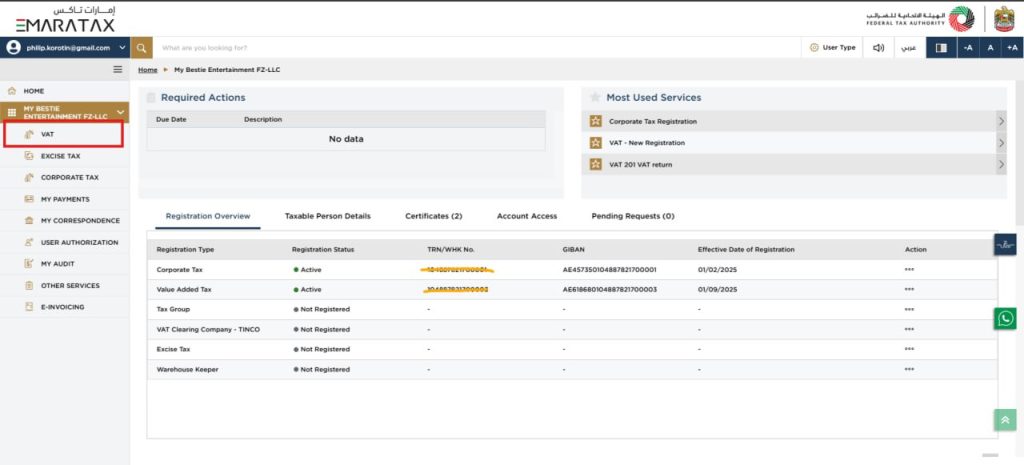
Select the applicable Taxable Person Details.
Business in the same tax group may file as one using their Taxable person details and must be settled by the representative handling their VAT registration.
Similarly, a business may appoint a tax agent in their EmaraTax portal. A tax agent approval number is required to legally represent a taxpayer before the FTA and submit filings and requests on the business’s behalf
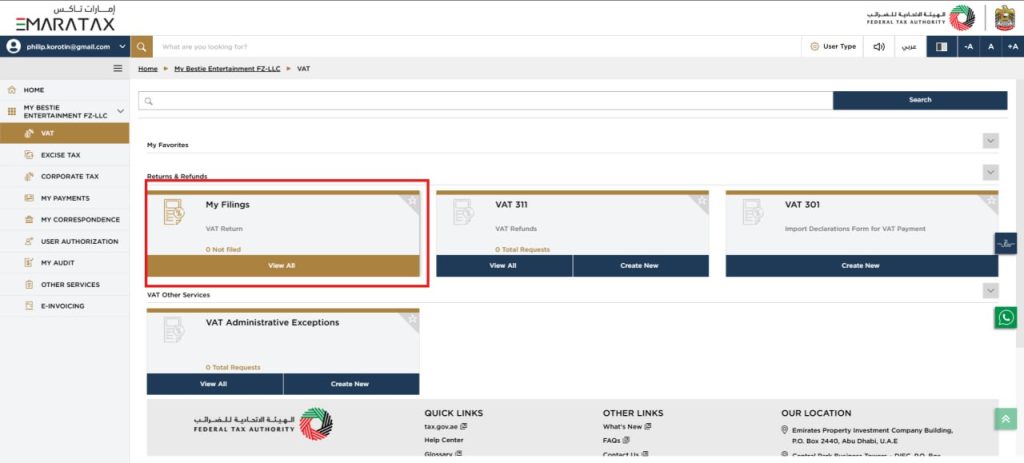
Step 2: Go to VAT → VAT 201 Return Form.
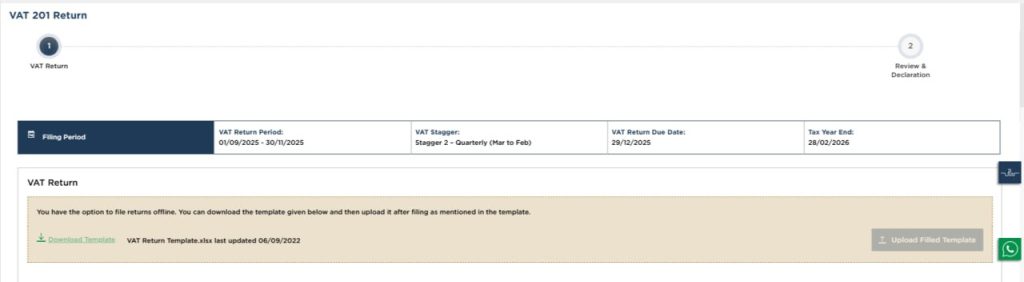
Step 3: Verify the VAT period and generate the VAT return reference period number
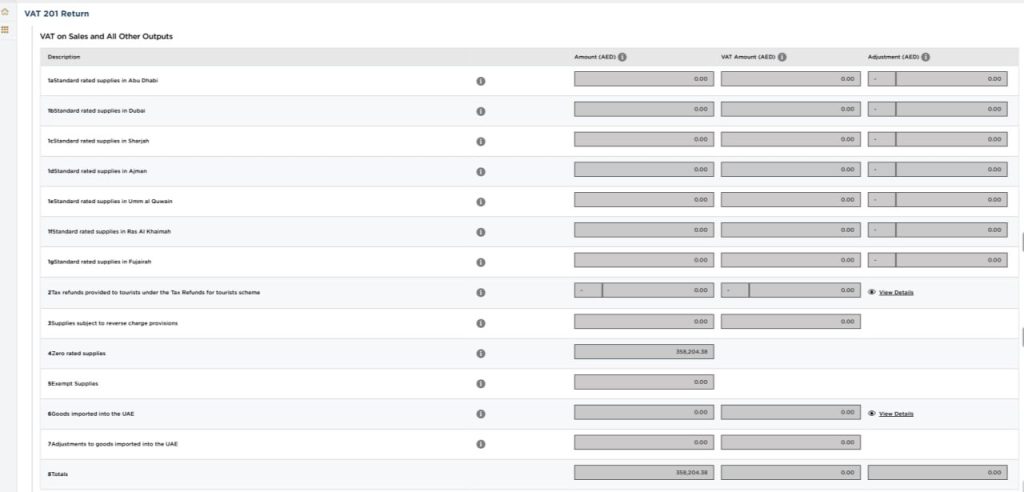
Step 4: Enter sales + Output VAT details
Step 5: Enter purchases + Input VAT details.
Step 6: Upload supporting documents when requested.
Profit Margin Scheme
You will be required to select “Yes” in the check box if you used and applied provisions for applicable Profit Margin Scheme goods during this period.
This is a crucial step, as most filings encounter an error at this process. Review carefully, and it is best practice to ask someone else in your team to take a third look to be sure.
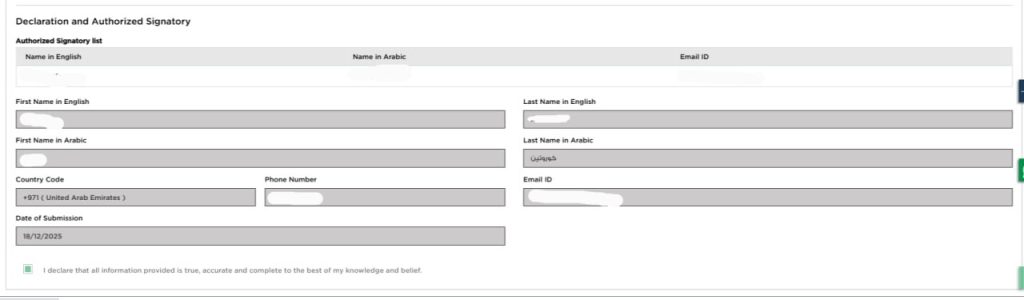
Step 8: Submit the return and submit your details as the authorized signatory.
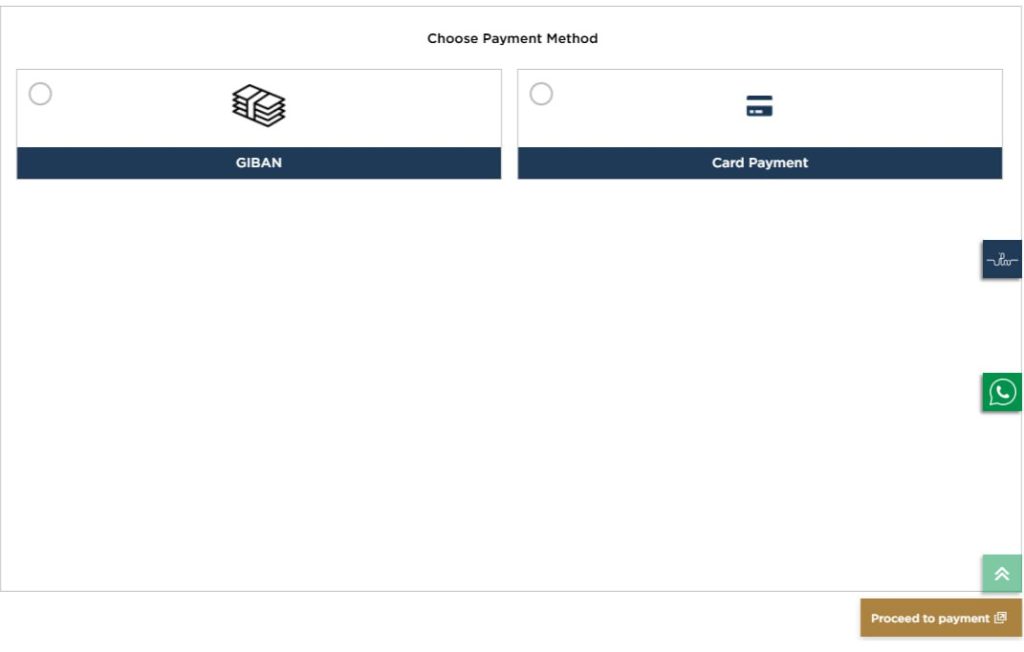
Step 9: Proceed to payment via:
GIBAN transfer Make sure to generate a unique payment reference number and save this for manual transfer using GIBAN.
EmaraTax is integrated to other UAE banks and financial institutions Your GIBAN reference number is required to validate payment. If the details you provide at the time of payment are incorrect, your payment will be rejected.
Use MagnatiPay to make online payments eDirham has been transitioned to MagnatiPay as the new payment gateway. Payment is made flexible using any Visa or Mastercard debit or credit card. For remaining eDirham balances, you can contact your issuing bank.
How to Pay VAT in the UAE: Payment Methods and Deadlines
How to pay your UAE VAT bill: GIBAN bank transfer, e-Dirham, card and instalment options on EmaraTax, plus payment deadlines and how to avoid late-payment fines.
We've received your request and will get back to you shortly.
Back to site
Thank you!
We've received your request and will get back to you shortly.
Back to site
We use cookies for analytics (Microsoft Clarity) to improve your experience on our website. By accepting cookies, you help us enhance our services. Learn more





 Thank you!








 Contact Us


